
PSER Registration 2026: Online Survey and Complete Application Guide

Punjab residents can complete the PSER Registration 2026 survey online through the official portal at pser.punjab.gov.pk. The survey records information about a household’s income, employment, education, health, housing, assets and family members.
The Punjab Government uses this information to identify people who may qualify for different welfare and subsidy programmes. However, PSER is not a cash-payment scheme. Completing the survey does not automatically approve money, ration, a solar system or another benefit.
Each government programme has separate eligibility conditions. PSER provides verified household information that departments can use while checking applications.
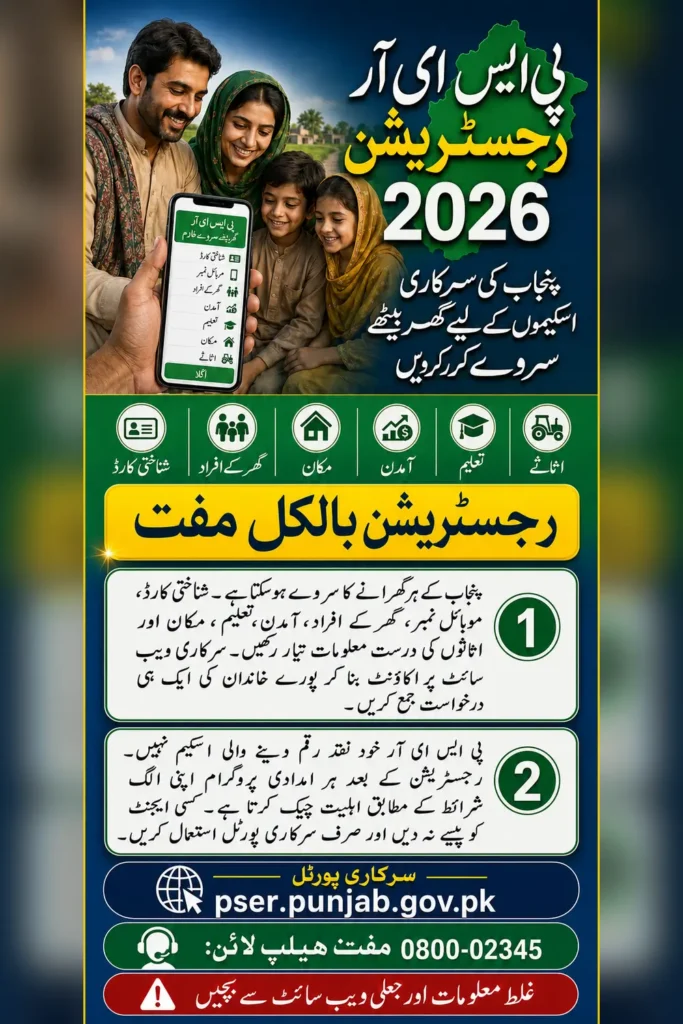
What Is the Punjab Socio-Economic Registry?
The Punjab Socio-Economic Registry, commonly known as PSER, is a provincial database of families living in Punjab. It was introduced to create a clearer and more reliable record of the financial and social conditions of each household.
Previously, families often had to provide the same income and household information whenever a new government scheme was launched. PSER creates one central record that can be considered by different departments.
The Punjab Planning and Development Board describes PSER as Pakistan’s first provincial-level socio-economic database. NADRA supports the validation and protection of the collected information. The registry may be used for welfare targeting, development planning and emergency assistance after natural disasters. Punjab Planning and Development Board
PSER Survey 2026 at a Glance
| Registration detail | Current information |
|---|---|
| Programme name | Punjab Socio-Economic Registry |
| Short name | PSER |
| Eligible area | Punjab |
| Official website | pser.punjab.gov.pk |
| Registration type | Household socio-economic survey |
| Online registration | Available through the official portal |
| Assisted registration | Government registration centres and survey teams |
| Registration fee | Free |
| Information required | CNIC, family, income, housing and asset details |
| PSER helpline | 0800-02345 |
| Direct cash payment | No |
| Benefit approval | Depends on individual scheme rules |
Who Should Complete the PSER Survey?
Households living in Punjab can register, including low-income, middle-income, rural and urban families. A person does not have to prove that they are poor before creating a PSER record.
Usually, one responsible adult completes the survey on behalf of the whole household. This person may be the family head or another member who has complete information about everyone living in the home.
The application should include all permanent household members. Leaving out an earning member, property owner or vehicle owner can make the record inaccurate and may create difficulties during verification.
There is no single PMT score or monthly-income limit for joining PSER. Those conditions may apply to a particular welfare scheme, but they are not general PSER registration requirements.
Information to Prepare Before Registration
Collecting the necessary details before opening the form will make the process easier. Keep the following information ready:
- Valid CNIC of the household head
- CNIC details of all adult family members
- B-Form information for children
- Active mobile number and network name
- Current and permanent home address
- Education and employment details
- Monthly income from all sources
- Bank account information, if available
- House ownership and construction details
- Agricultural land, livestock and crop information
- Motorcycles, cars or other vehicles owned by family members
- Disability or chronic disease information
- Details of government assistance already received
The portal may ask for information rather than scanned copies of every document. Enter each CNIC, income amount and asset carefully.
Also Read: Apna Ghar Mehfooz Ghar Program Apply Online 2026 Step by Step Guide
How to Complete PSER Registration Online
Step 1: Visit the Official PSER Portal
Open pser.punjab.gov.pk on your mobile phone or computer. Check the domain carefully. It must end in punjab.gov.pk.
Avoid websites that copy the PSER design or ask for a registration payment.
Step 2: Create a User Account
Select the registration option and enter your full name, CNIC number, mobile network, active phone number and email address, where required.
Create a secure password and save it. You will need the same CNIC and password to log in again, update an incomplete application or review your submitted record.
Step 3: Start a New Application
After logging in, select New Application. The portal will display a declaration asking you to provide correct and complete information.
Read the declaration before continuing. Giving false details may affect applications submitted for government schemes.
Step 4: Enter the Household Head’s Details
Provide the name and CNIC of the family head. Add basic information such as gender, date of birth and relationship details.
The head of the family does not always have to be male. A woman can be listed as household head where she is responsible for the family.
Step 5: Add Every Family Member
Enter the details of each person who normally lives in the household. Adults should be added using their CNIC information, while children can be entered through B-Form details.
Do not create separate household applications for a husband, wife and children living in the same home. They should normally be included in one family survey.
Step 6: Complete Health and Education Sections
The form asks whether any member has a disability, chronic illness or other health condition. Disability categories may include physical, hearing, visual, speech or mental disability.
You will also be asked about literacy, school attendance and the highest education level completed by each member. Enter the actual position, including the reason if a child or adult has never attended school.
Step 7: Add Employment and Income Information
Provide the occupation, employment type and monthly income of earning members. Include salary, daily wages, farming income, business earnings, pensions or other regular sources.
Do not report only the income of the household head if other members also earn. The purpose of the survey is to record the complete financial position of the family.
Step 8: Provide Address and Housing Details
Enter the current and permanent addresses, including district, tehsil, union council and village or city. Select whether the household is in an urban or rural area.
The housing section may ask whether the home is owned, rented or provided by an employer. It can also ask about wall and roof material, rooms, electricity, drinking water, toilet facility and cooking fuel.
Step 9: Declare Land, Livestock and Other Assets
Provide accurate information about agricultural land, crops, livestock, motorcycles, cars and other assets owned by household members.
The official Punjab PSER guide explains that the survey also collects information about bank accounts, government assistance, internet access and the effect of recent natural disasters.
Step 10: Review and Submit the Survey
Read the complete application before submitting it. Check CNIC numbers, family members, monthly income, addresses and asset information.
After submission, save the confirmation or application reference shown on the screen. Taking a screenshot can also help you keep a record.
Registration Without Internet Access
The Punjab Government has previously established thousands of registration centres to assist people who cannot complete the online form. Door-to-door data collection has also been used to include families in rural and underserved areas.
Availability of nearby centres or survey teams can change by district. Call the active PSER complaint and assistance helpline at 0800-02345 before travelling to an office. The number is listed on the Punjab Government helplines page.
If an authorised survey worker visits your home, ask to see official identification. Do not hand over original documents or pay a survey fee.
Also Read: Asan Karobar Card 2026: Eligibility, Apply Online Guide
How to Check or Correct Your PSER Record
Log in to the official portal using the CNIC and password created during registration. Open the dashboard to confirm whether the survey is saved, incomplete or submitted.
If you notice a mistake after final submission and the portal does not provide an editing option, call 0800-02345. Do not create multiple household records to correct one error, as duplicate applications can create verification problems.
Update the record when there is a major change in family size, address, income, employment or assets, provided the portal offers an update facility.
Programmes That May Use PSER Data
PSER data has been considered for programmes such as the Punjab Kisan Card, Livestock Card, Ramzan relief and other provincial welfare initiatives. Registration may also support the government when selecting households for future schemes.
Being registered does not mean a family qualifies for all programmes. For example, a housing loan may check property ownership, while an agriculture programme may require farmland. Applicants must still meet the rules of the specific scheme.
Also Read: Apni Chhat Mehfooz Chhat Program: How to Apply Online in 2026
Frequently Asked Questions
Is PSER registration open in 2026?
The official online portal remains the correct place to create or access a household record. Check pser.punjab.gov.pk for current portal availability.
Does PSER provide monthly cash?
No. PSER is a household database, not a monthly payment programme.
Can I register without a bank account?
Yes. The survey allows households to state that they do not have a bank account.
Is BISP registration the same as PSER?
No. BISP is a federal programme, while PSER is a Punjab Government household registry.
Can more than one person from a family apply?
One complete household survey should normally include all family members living together.
What should I do if I forget my password?
Use the password-recovery option on the official portal. If recovery fails, contact the PSER helpline instead of creating a duplicate account.
Also Read: Petrol Price in Pakistan Today (23 July 2026) – Latest Rate
Conclusion
PSER Registration 2026 helps the Punjab Government maintain accurate household information for welfare planning and beneficiary selection. Complete the survey honestly through pser.punjab.gov.pk, include every household member and remember that final assistance depends on the eligibility rules of each government programme.
Also Read: Punjab E-Bike Scheme for Government Employees 2026 – Eligibility & Registration Guide