
CM Punjab E Bike Scheme 2026

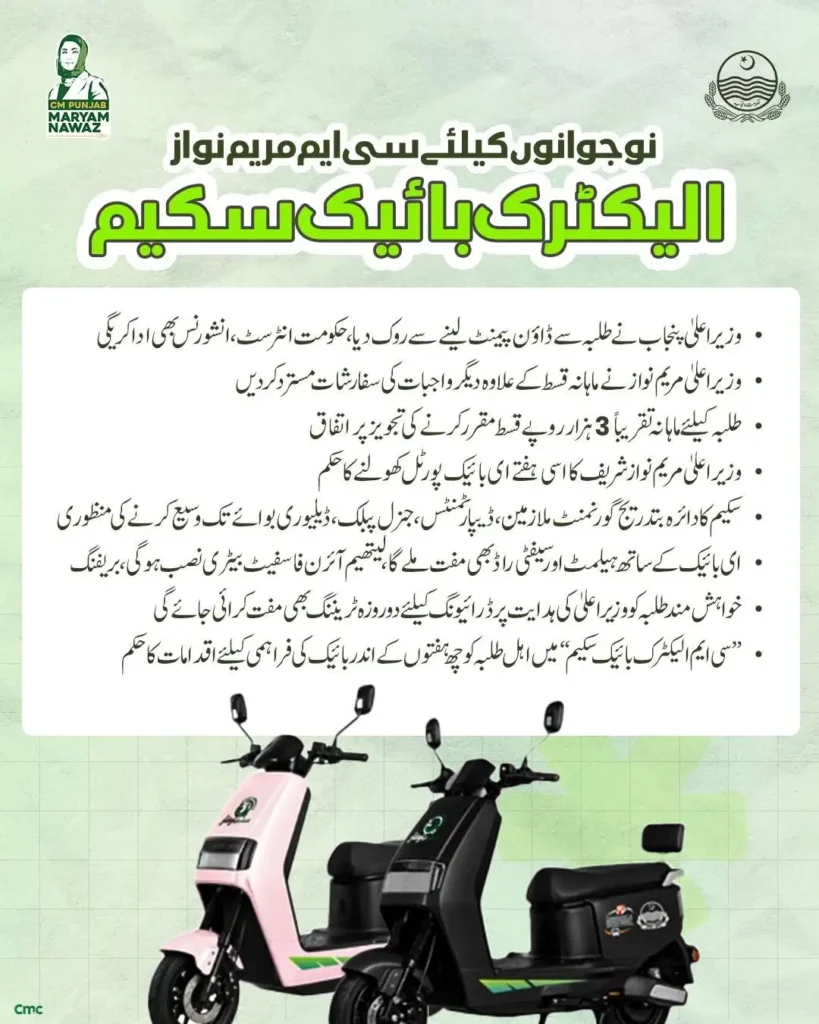
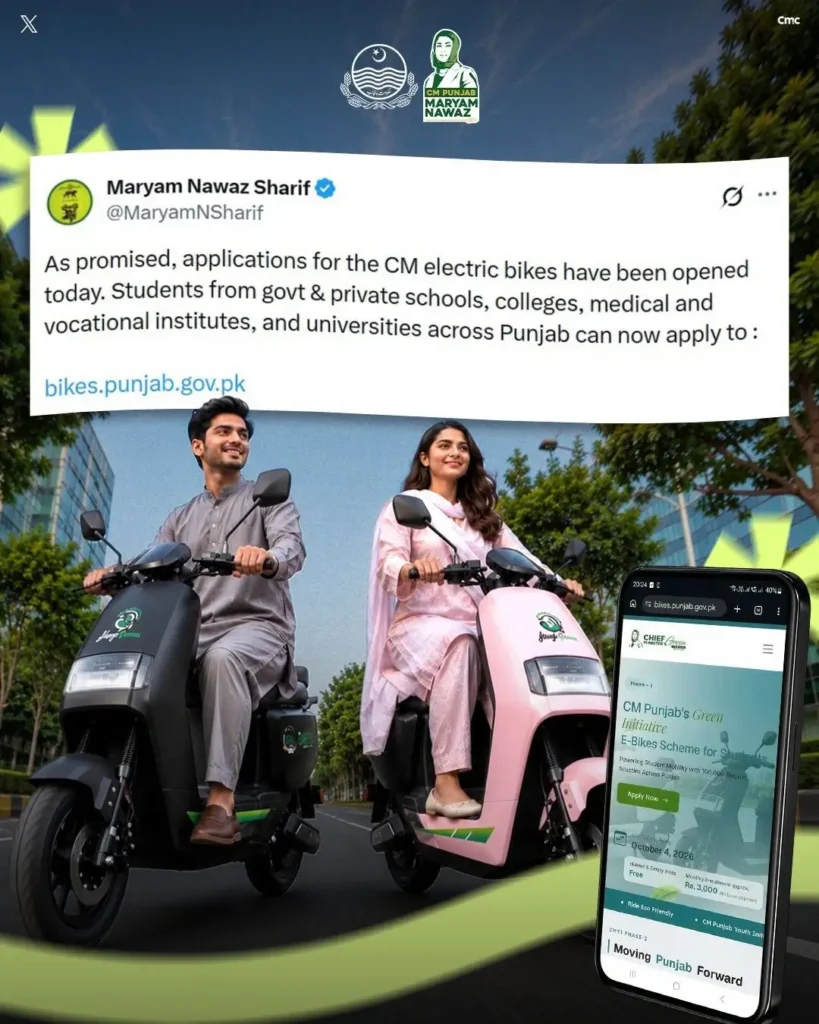
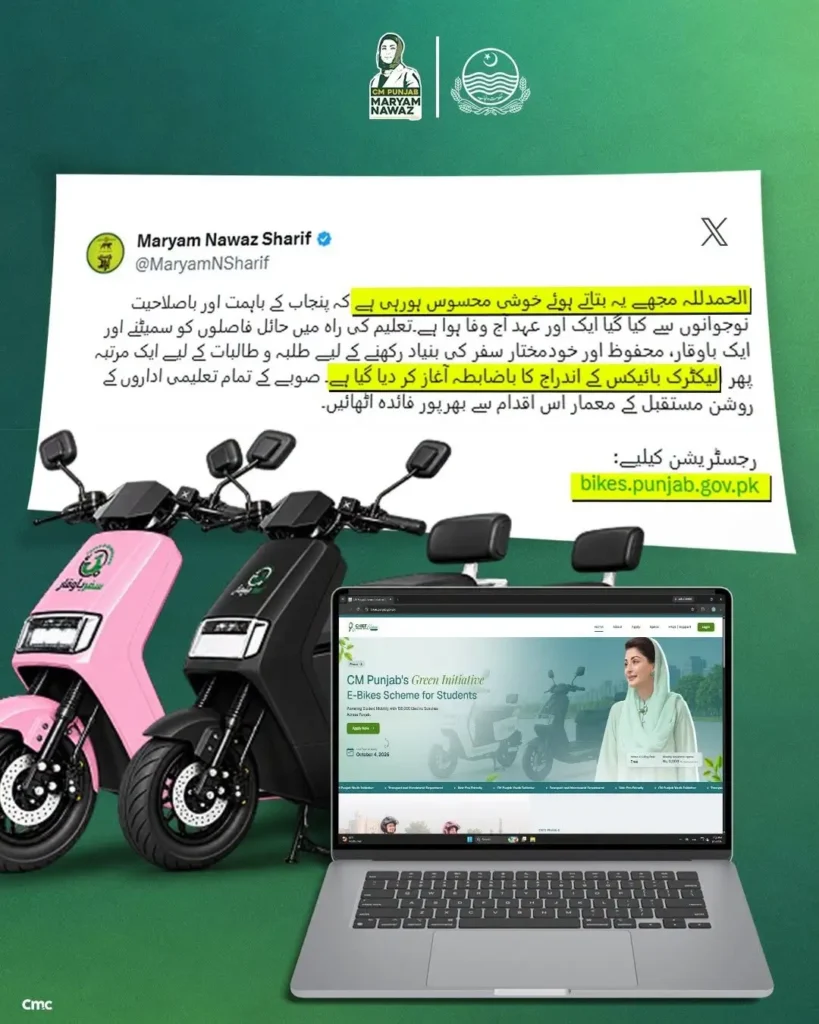
The Punjab Government has launched the Electric Bike Scheme Phase 2 for all students of Punjab in the year 2026 by Chief Minister Maryam Nawaz Sharif. In this phase, one lakh electric bikes are being provided in which both girls and boys can apply. In this phase, all girls and boys sitting at home can apply online and get electric bikes on subsidy from the Punjab Government. The main purpose of providing this bike is only that all eligible students can continue their education without the hassle of travel.
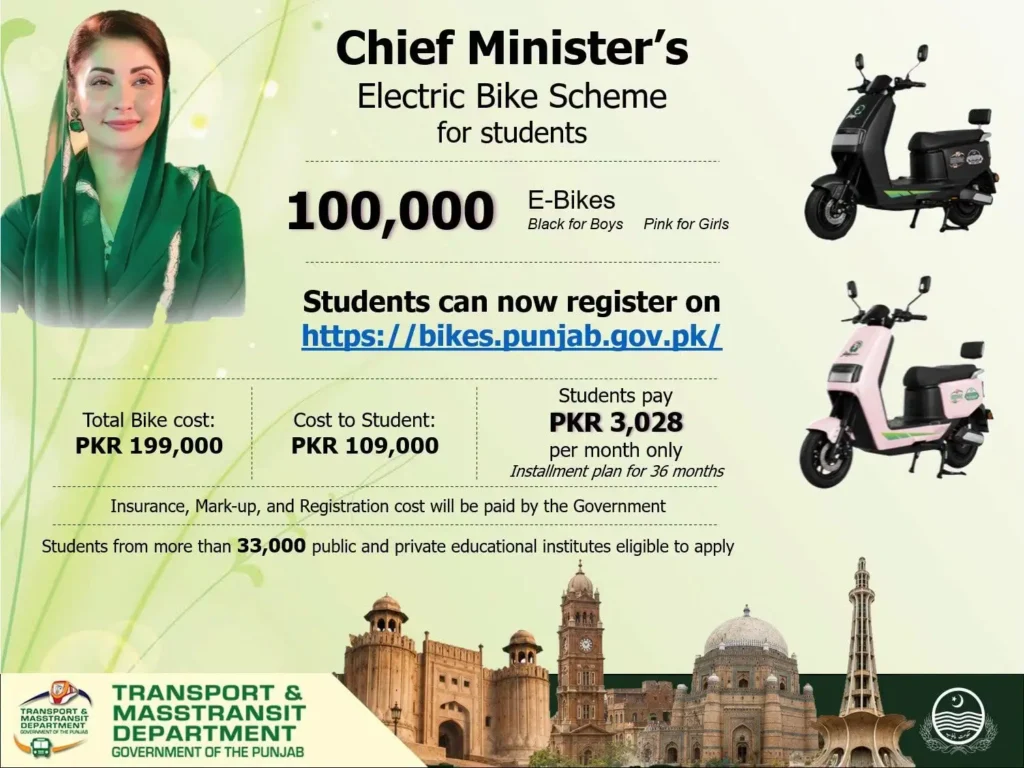
The Punjab Government is providing a subsidy of Rs. 90,000 per bike. In this phase, 33,000 public and private educational institutes have been qualified so that private sector students can also benefit from the scheme and get electric bikes by being qualified from the Punjab Government.
If you are interested in this article and want to know all the information about how you can apply online from home, what are the eligibility criteria for applying, what are the necessary documents, how much monthly installment will have to be paid, what are the features of the bike, then the complete details of these things are given below. Read the full article and get this information from home.
Why Apply for CM Punjab E-Bike Scheme Phase 2 2026?
This program has been launched to make the daily commute of Punjab students easier. There are many benefits of applying for it. Some of them are mentioned below
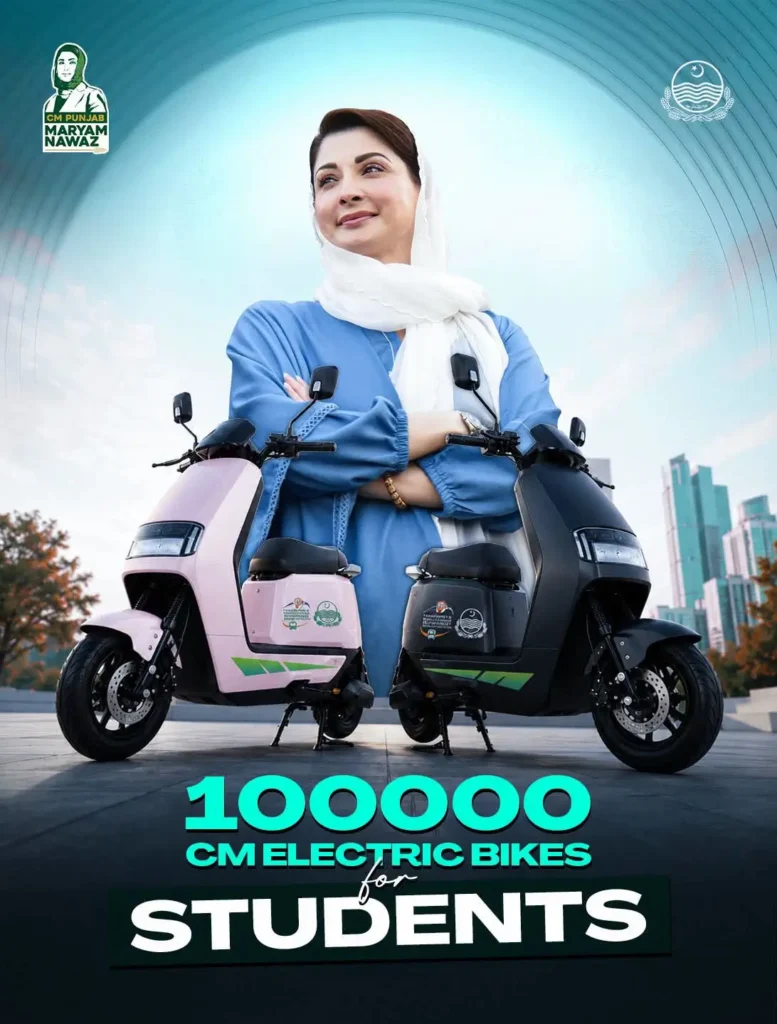
100,000 e-bikes
The Punjab government has arranged a total of 100,000 e-bikes.
This facility will give a chance to a large number of students to get a personal ride.
Rs. 90,000 Capital Subsidy
The Punjab government will contribute up to Rs. 90,000 towards the cost of the e-bike.
This will reduce the overall financial liability of the purchase.
0% Interest
This program has a 0% interest rate for financing.
That is, there will be no interest or markup on the amount provided.
3-year financing
A 3-year repayment period will be given, so that the amount can be paid in easy installments.
This will eliminate the need to pay a large amount at once.
No down payment
The applicant is not required to make a down payment at the beginning.
Therefore, no large amount will have to be arranged initially.
Insurance, registration and token tax
The Punjab government will pay for the insurance, registration and token tax of the e-bike.
Thus, the burden of these necessary expenses will not fall on the student.
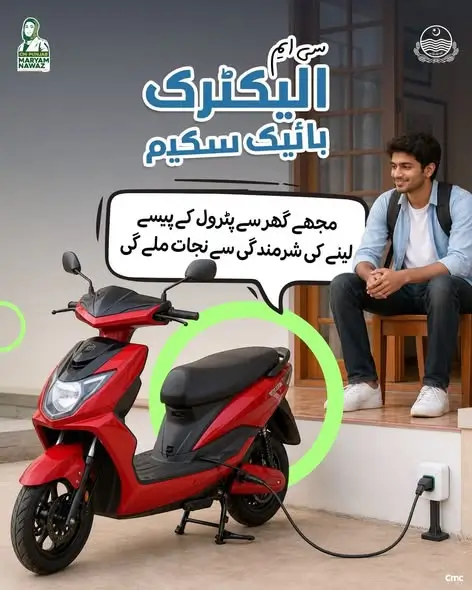
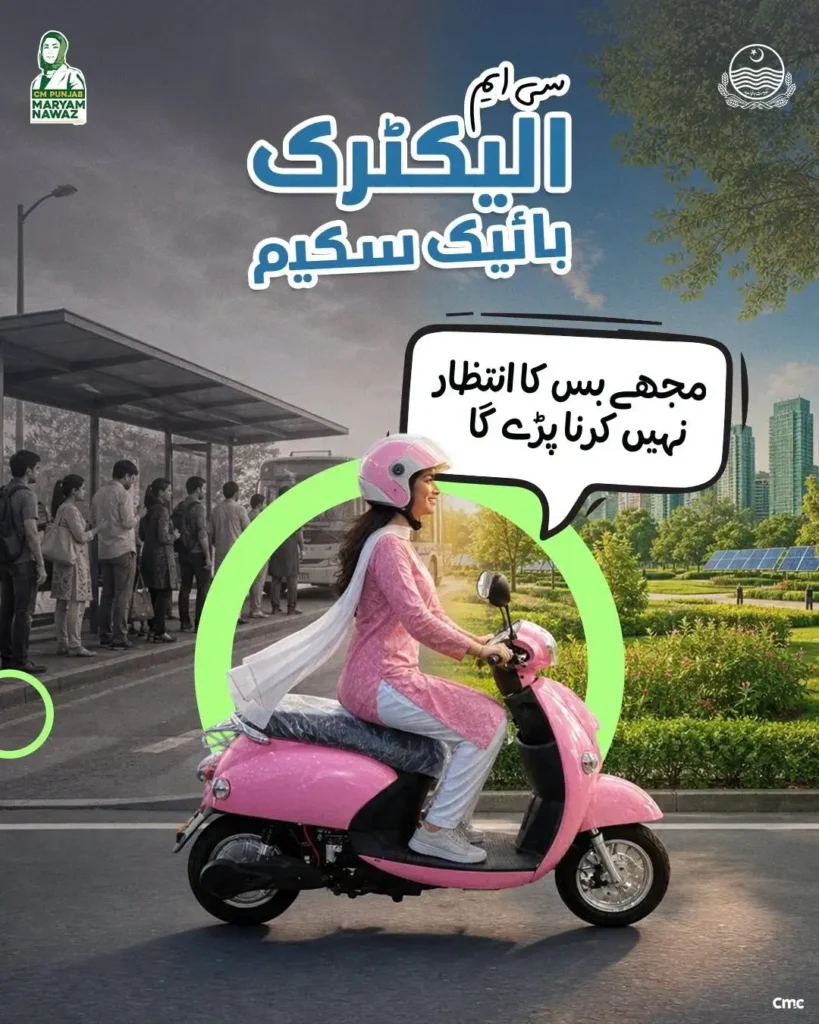
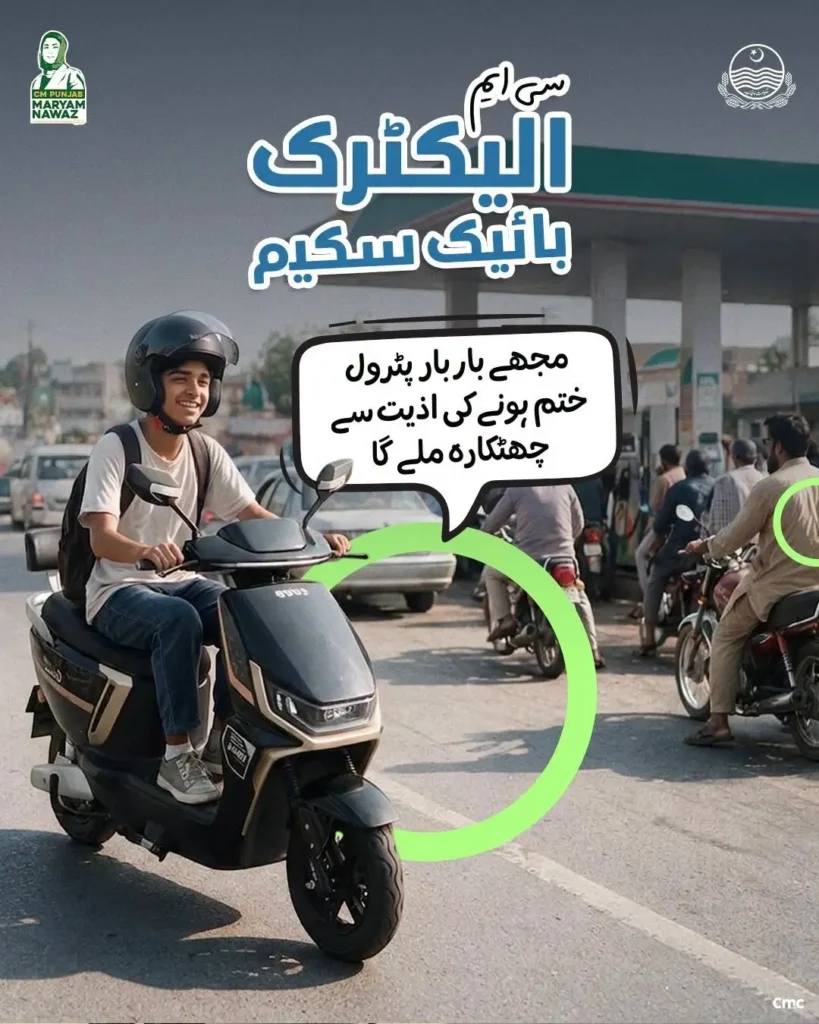
This facility can be especially beneficial for students who go to college or university daily. A personal e-bike can provide convenience, freedom and time savings in commuting.
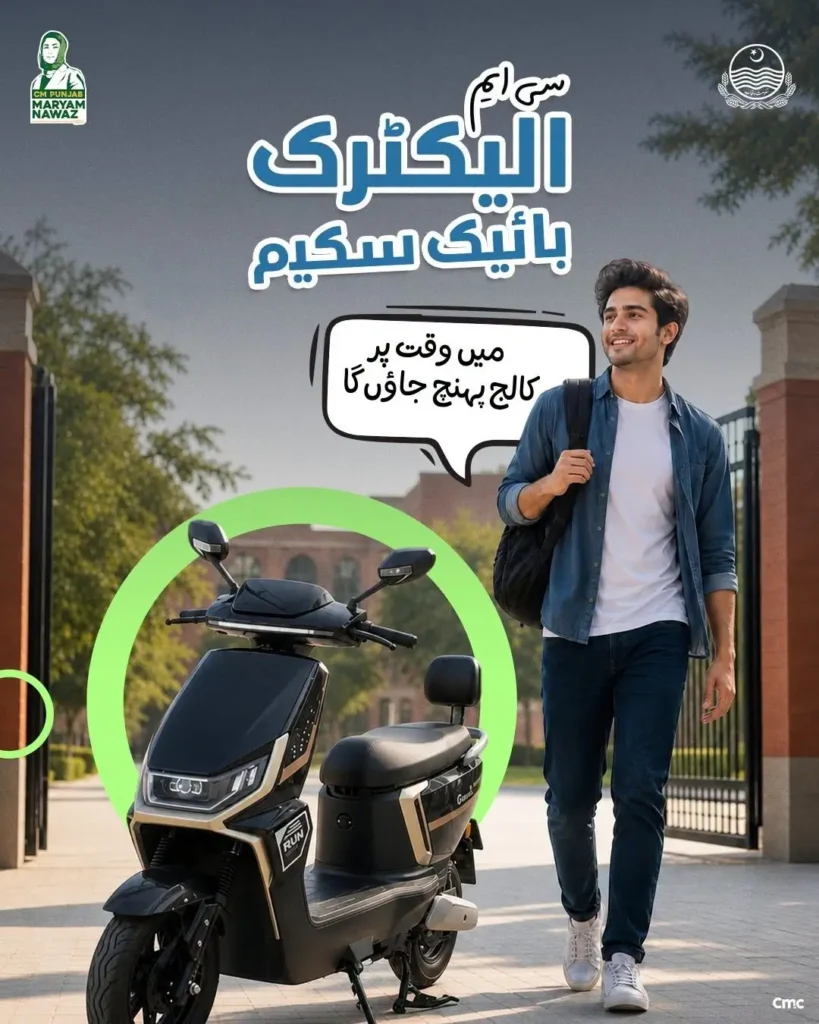
Who Can Apply? Eligibility Criteria Explained
Students who fulfill the prescribed eligibility conditions can apply for CM Punjab E-Bike Scheme Phase 2 2026. Before applying, be sure to check all the conditions related to your age, educational institution, driving permit and guarantor.
Students of government or private institutions
Students studying in both government and private educational institutions can apply for this scheme. That is, the student is eligible to study in a government or private college or university.
Driving license or permit is required
The student must have a valid driving license, learner permit or junior driving permit. At the time of submitting the application, an acceptable and valid document from among them should be available.
The mobile number should be in the name of the guarantor
The mobile number that will be entered in the application must be registered in the name of the guarantor. Therefore, while applying, use a number that is in the name of the guarantor as per the official records.
The student must be at least 16 years of age
The student must be at least 16 years of age at the time of submitting the application. If the student is below 16 years of age, he/she will not be eligible to apply under this condition.
Parents or legal guardians can become guarantors
The parents or legal guardians of the student can become guarantors in this scheme. The guarantor must have valid income proof to prove his/her income.
The guarantor must have a valid CNIC
The guarantor must have a valid and usable CNIC for the application. That is, the National Identity Card information must be provided to identify the guarantor.
If you are a student and meet all the basic requirements given above, you may be eligible to apply for this program. Having all the information and documents correct before submitting the application will make the application process easier.
Who Are Not Eligible For Apply
CM Punjab E-Bike Scheme Phase 2 2026 is only for those students who fulfill the prescribed conditions of this program. Those who have already got a bike in any previous phase or who do not fulfill the prescribed conditions, cannot apply again.
Application is not possible in the following cases in particular:
Students Below 16 Years of Age
A student whose age is below 16 years at the time of submission of the application is not eligible for this scheme. Fulfillment of the age condition is mandatory for application.
No Valid Driving License Or Permit
A student who does not have a valid driving license, learner permit or junior driving permit will not be eligible. An acceptable driving document must be available at the time of application.
Have Already Got An E-Bike In the Previous Phase
Students who have already got a bike in the previous phase of CM Punjab E-Bike Scheme cannot apply for a bike again in Phase 2. This facility is for students who have not got a bike under this scheme in any of the previous phases.
Guarantor Condition Not Fulfilled
If the student does not have a parent or legal guardian who can become a guarantor as per the prescribed conditions, then there may be a problem in the application. A valid CNIC and income proof are also required for the guarantor.
No Mobile Number
If the mobile number given in the application is not registered in the guarantor’s name, then it does not fulfill the prescribed condition of the program. It is necessary to use the mobile number in the guarantor’s name for the application.
Holding Property or Business
If a person has property or business in their name and does not fulfill the prescribed student conditions of this program, then he will not be eligible for the scheme on this basis. This program is mainly to facilitate the educational journey of deserving and eligible students.
Non-Students
A person who is not a student in any government or private educational institution cannot apply for this scheme. That is, only those students who fulfill all the prescribed eligibility conditions can apply for this program.
How to Apply For CM Punjab E Bike Scheme 2026 – Step by Step Method
CM Punjab Electric Bike Scheme 2026 has an easy and online procedure for applying online. You can register yourself online from home through the official portal and get an electric bike at a subsidy of 90 thousand from the Punjab government. To apply online, follow the steps below and apply easily from home.
Create Account
First, you have to go to the official website of the e-bike scheme.
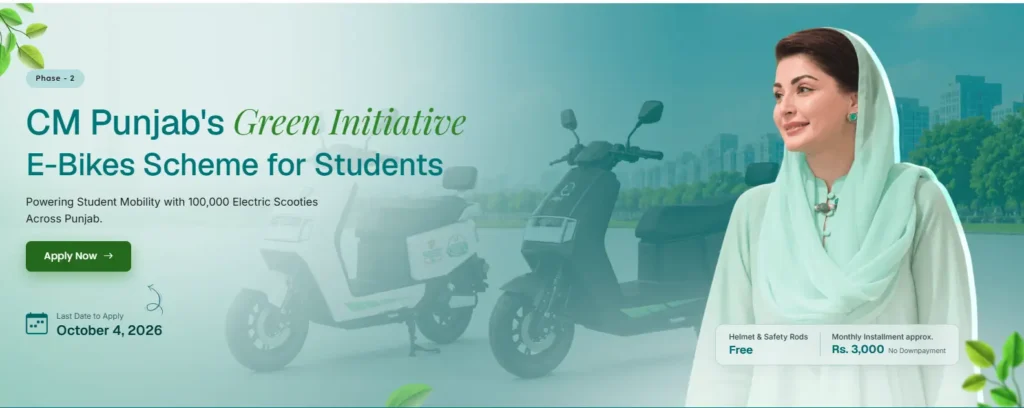
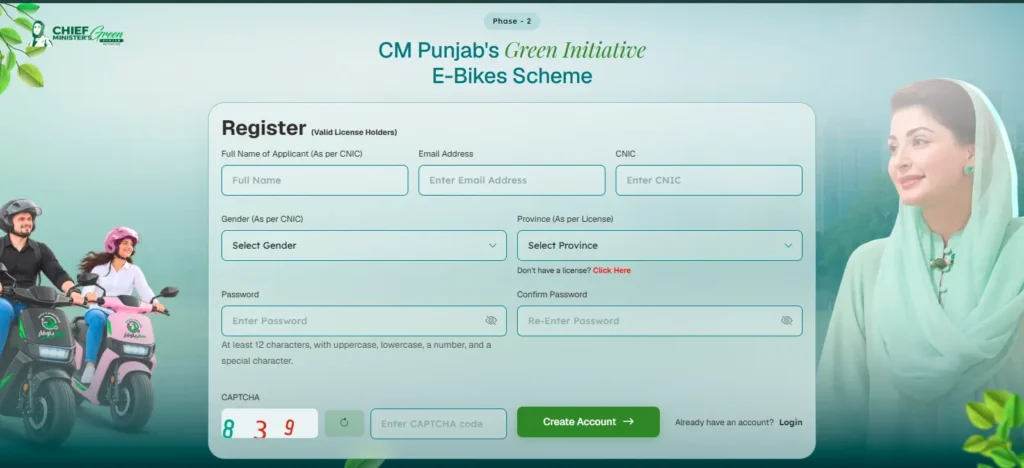
Follow the below steps to create account on the e bike scheme official portal
- There, you will see a green button on the screen in which Apply Now will be written. You have to click on it, after clicking, the registration form will be shown in front of you.
- In this, first of all, you have to enter the CNIC number which is issued by NADRA.
- After that, you have to enter your valid email which is in use by you.
- After that, you have to enter your CNIC number.
- Then, in the fourth box, you have to select the gender that is present on the CNIC, whether you are male, female or toss gender.
- After that, you have to select your province from the list given in the fifth box.
- After that, you have to enter your strong password in the sixth box, which you can also remember, and after that, you have to enter the same password in the next box, Confirm Password.
- And after that, you have to go down and enter the three-digit code given in the white image in the box below Enter Captcha Code
After that, you have to click on the Create Account button below.
Verification
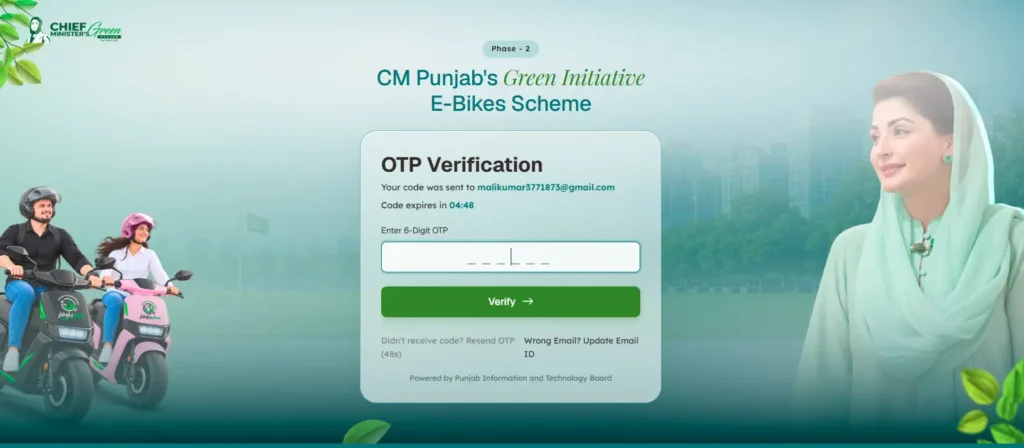
After clicking on the Create Account button, a verification form will be shown in front of you. In this, you have to enter the six-digit code received on your email. After entering, you have to click on the verification button. After clicking, the application form for the e-bike scheme will open in front of you.
Personal Information
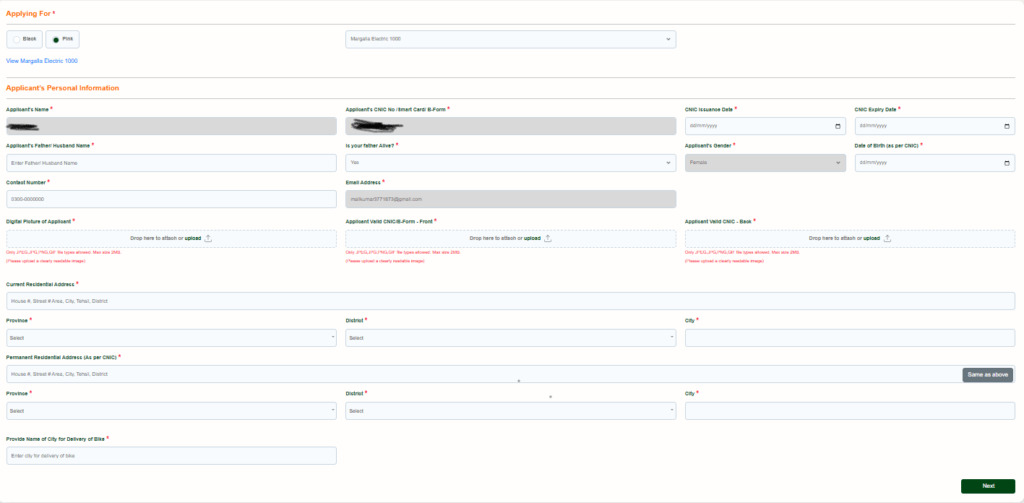
After clicking on the verification button, a form will open in front of you called Personal Information, in which you will have to upload your personal details and required documents. Their details are given in detail below.
- First, the section for selecting the bike for the application will come. Here, select the bike you want and its color white or pink.
- After the selection of color then select the model in the nearest box
Section 1: Applicant’s Personal Information
After this, the applicant’s personal information section will come. In this, the basic information of the person applying will be entered.
- Applicant’s name: In the personal information section, A box for writing the applicant’s full name will come. Enter the name exactly as it appears on the ID card.
- Applicant’s ID card number: After the name, a box for entering the ID card number will come. Enter the applicant’s correct ID card number here.
- ID card issuance date: After the ID card number, the date of issuance of the ID card must be entered. Enter this date by looking at your ID card.
- ID card expiration date: After this, a box for entering the ID card’s expiration date will come. Enter the correct information by looking at the date written on the ID card.
- Applicant’s father’s or husband’s name: After this, a box for entering the father’s or husband’s name will come. Write the name correctly and according to official records.
- Is your father alive? After the name of the father or husband, a question will appear about the father being alive. Select yes or no according to the correct information.
- Applicant’s gender: After this, a box will appear to select the gender of the applicant. Here, select the correct gender of the applicant.
- Date of birth: After the gender, a box will appear to enter the date of birth. Enter the date of birth exactly as per the identity card.
- Contact number: After this, a box will appear to enter the mobile number. Enter an active number on which messages and necessary information can be received.
- Email address: After the mobile number, you must enter the email address. Enter an email that you have access to.
Section 2: Upload Documents:
- Applicant’s photo: After the email, a box will appear to upload the applicant’s photo. The photo should be clear, clear and less than 2MB in size.
- Front of the identity card or B form: After the photo, you must upload a photo of the front of the identity card or B form. All information should be clearly visible in the photo.
- Back of ID Card: After this, a photo of the back of the ID card should be uploaded. The photo should be clear, complete and easily readable.
Section 3: Current Residential Address
- After the ID card photos, a box will appear to enter the current residential address. Here, write the full address where the applicant is currently residing.
- Current Province of Residence: After the current address, a box to select the province will appear. Here, select the province where the applicant is currently residing.
- Current District of Residence: After the province, a box to select the district will appear. Select the correct district according to the current residential address.
- Current City of Residence: After the district, a box to enter or select the city will appear. Here, enter the city of current residence.
- Permanent Residential Address: After the current address information, a box to enter the permanent residential address will appear. Here, write the full permanent address as per the ID card.
Section 4: Permanent Province of Residence:
- After the permanent address, a box to select the province of permanent residence will appear. The province should be as per the permanent address on the ID card.
- Permanent Residence District: After this, a box will appear to select the district of the permanent residence address. Select the correct district.
- Permanent Residence City: After the district, the city of permanent residence must be entered or selected. The city must match the permanent address on the identity card.
- City for bike delivery: Finally, a box will appear to enter the name of the city where the bike is to be received. Enter the correct city name as per your convenience.
Then click on the next button but before submitting the form, double-check all the information. There should be no mistakes in the name, identity card number, dates, contact number, addresses and uploaded photos.
Guarantor or Responsible Information
After clicking on the Next button, another form will open in front of you in which you have to upload the personal information of the grantor, address, source of income and proof of income.
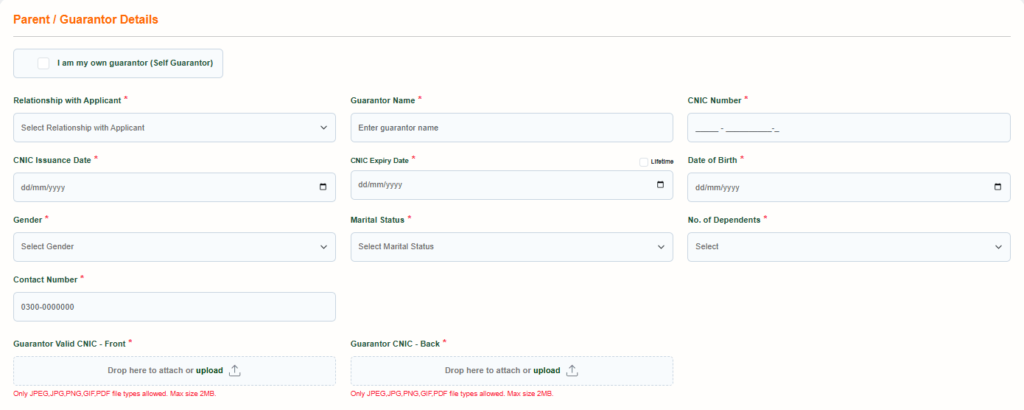
If you do not have a grantor, then tick the first option which says that I am the grantor myself, by clicking on it all your personal information, address and documents will be entered automatically. If you have a grantor, then do not click on this option and enter his personal information and address in the form as mentioned below.
Section 1: Guarantor or Responsible Personal Information
- Relationship to Applicant: First of all in this page, select the your relationship with guarantor. Select the correct relationship such as father, mother, brother, sister, husband or other relationship.
- Guarantor’s Name: After this, a box will appear to enter the guarantor’s full name. Write the name exactly as it appears on the guarantor’s identity card. Avoid spelling or ordering mistakes.
- Guarantor’s ID card number: After the guarantor’s name, enter the guarantor’s ID card number. Enter the ID card number completely and correctly.
- Guarantor’s ID card issuance date: After this, enter the date of issuance of the guarantor’s ID card. This date will be available on the guarantor’s ID card. Enter the date by looking at the ID card, do not write the date by guessing.
- Guarantor’s ID card expiration date: After this, you should enter the date of expiration of the ID card. Write the date by looking at the guarantor’s original ID card. This date must be correct.
- Guarantor’s date of birth: After this, go to the next box name as guarantor’s date of birth. In this enter the date of birth as per the ID card.
- Guarantor’s gender: After this, select the guarantor’s gender. For males, select male and for females, select female.
- Marital status of the guarantor: After this, it will be asked whether the guarantor is married or single. Select the correct status. If married, select married and if not married, select single.
- Number of people dependent on the guarantor: After this, it will be asked how many people the guarantor depends on. That is, how many people the guarantor meets their expenses or needs. The form has options like none, one, two or three, so choose according to your actual situation.
- Contact number of the guarantor: After this, enter the active mobile number of the guarantor. Provide a number on which the guarantor can be contacted.
Do not select the wrong relationship because the rest of the guarantor’s information will verify the govt of punjab. And also do not enter an incorrect or closed number.
Section 2: Upload Documents
- Front of the guarantor’s ID card: After this, a clear picture of the front of the guarantor’s identity card must be uploaded.
- Back of the guarantor’s ID card: Upload a clear image of the back of the ID card after the front.
The identity card should be complete and all information should be clearly visible in the picture. The file type and size must comply with the specified limits of the form, and the file must be a maximum of 2 MB.

Section 3: Guarantor Address Information
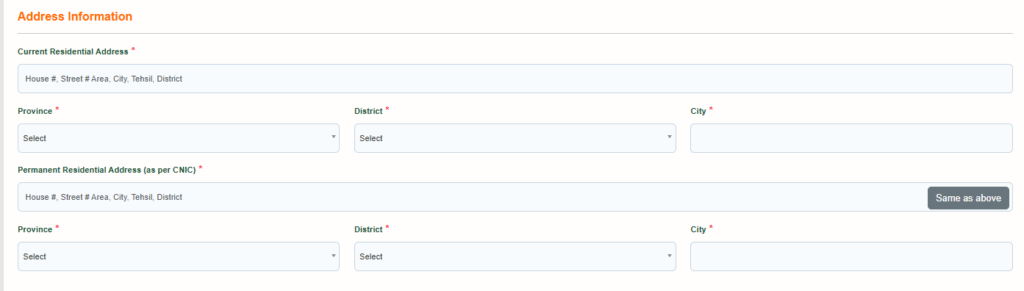
After the guarantor’s personal information, the address information section will come. Here, the guarantor’s current and permanent residential address must be entered.
Current Residential Address
| Guarantor Current Residence Details | What to Enter / Select |
|---|---|
| 1. Current Residential Address | Write the guarantor’s full address where he currently resides. Enter the house, street, neighborhood or area, city, tehsil, and district information as completely as possible. |
| 2. Province of Current Residence | Select the province where the guarantor currently resides. The province should correspond to the current residential address. |
| 3. District of Current Residence | Select the guarantor’s current district. This district should be the same place where the guarantor currently resides. |
| 4. City of Current Residence | Enter or select the guarantor’s current city. The city should also correspond to the current residential address. |
Permanent Residential Address
If the the current and permanent address, then click on the button name as “Same as Above”. All the the fields of the permanent fields will fill by the current address information automatically. if not same then enter the detail as given below
Section 4: Source Of Income
After entering the address, then the next step is to to enter the source of income.
| Salaried | Business | Informal Sector |
|---|---|---|
| 1. Source of Income: If guarantor is employed on salary, select Salaried. | 1. Source of Income: If guarantor runs their own business and earns income from a business, select Business. | 1. Source of Income: If guarantor earns from daily wages, labor, driving, domestic work, odd jobs, or any work that is not a regular paid job or registered business, select Informal Sector. |
| 2. Name of Employer: Write the exact name of the company, office, or institution in which guarantor works. | 2. Industry Category: Select the category that best matches your business: Developer, Manufacturing, Others, Retail, SEP, Services, Trading, or Wholesale. | 2. Gross Salary or Income from Business: Enter guarantor’s average monthly income from informal work. |
| 3. Type of Employment: If guarantor is employed by the government, select Government. If guarantor is employed by a private company, office, or institution, select Private. | 3. Business Sector: Select the specific sector of your business, such as Building & Construction, Ceramics & Sanitary, Chemicals, Computer & IT, Electricals & Electronics, Food & Beverages, Fruits & Vegetables, Furniture, Handicrafts & Gifts, Health & Surgical, Light Engineering/Cutlery/Auto Parts, Livestock & Allied, Others, Service Sector, Tanneries, or Textile/Fabric/Apparel & Fashion. | 3. Do you have any other source of income: If guarantor has no other income apart from this work, select No. If guarantor earns income from another source, select Yes. |
| 4. Monthly Income: Write guarantor’s monthly salary here. | 4. Business Type: Select the legal or registered form of guarantor’s business: Limited Company, Partnership Firm, or Sole Proprietorship. | 4. Are you already a BOP customer: If guarantor already has an account with Bank of Punjab, select Yes. If guarantor does not have an account with BOP, select No. |
| 5. Employer Address: Write the full address of guarantor’s place of employment. | 5. Business Name: Write the exact name of guarantor’s business. | 5. Account Number: If guarantor has a BOP account, enter the correct BOP Account Number. |
| 6. Do you have any other source of income: If there is no other income apart from salary, select No. If there is any other income apart from salary, select Yes. | 6. Business Address: Enter the full address of guarantor’s business. | — |
| 7. Are you already a BOP customer: If guarantor already has an account with Bank of Punjab, select Yes. If guarantor does not have an account with BOP, select No. | 7. Do you have any other source of income? If guarantor has no other income apart from the business, select No. If guarantor has rent, another shop, or any other income, select Yes. | — |
| 8. Account Number: If guarantor has an account with BOP, enter the BOP account number correctly. Enter the account number from bank records and do not enter any incorrect or fictitious number. | 8. Are you already a BOP customer? If guarantor already has an account with Bank of Punjab, select Yes. If guarantor does not have a BOP account, select No. If guarantor is a customer of another bank but not BOP, select No. | — |
| — | 9. Account Number: If guarantor has an account with BOP, enter the BOP account number exactly as it appears in bank records. Do not enter any fictitious or incorrect account number. | — |

Section 5: Income Related Documents
After the income information, there will be a section for uploading income proof documents. Here, available and valid proofs related to the guarantor’s income will be uploaded.
- Bank statement or salary document: Here, the relevant document from the guarantor’s bank statement, salary certificate, pension book, current salary slip or pension slip can be uploaded. According to the form, the salary or pension related document should be maximum 60 days old.
- Employment related proof: After this, there will be a section for uploading the employment letter, employment certificate or any acceptable proof from the employer. This document should be proof that the guarantor is really associated with this institution or work.
- Proof of business income: If the guarantor is doing business, a box will appear to upload proof of income from the business. Upload only valid and relevant business documents.
All uploaded files should be as per the file type given in the form and within a maximum size of 2 MB.

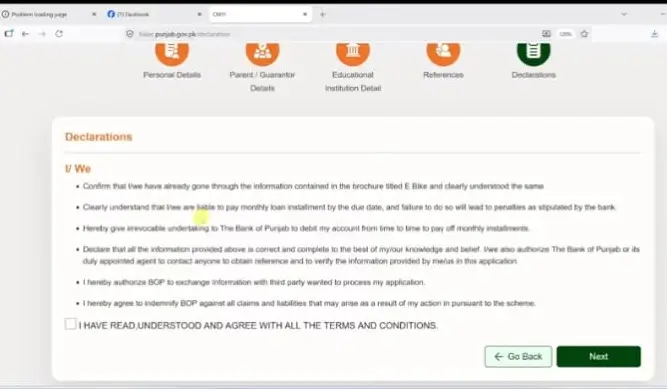
Section 6: Politics Or Not
Are you a politically exposed person: If you are a politically exposed person, select Yes, and if you are not a politically exposed person, select No.
If you do not know who a politically exposed person is and you do not understand whether to select Yes or No, then do not worry. Complete information and explanation about a politically exposed person is given below this form. By reading the information given below the form, you will know who a politically exposed person is, who his close associates are and which members of his family are included in it. After reading this information, select only Yes or No according to your situation.
Then click on the next button to fill the 3rd form.
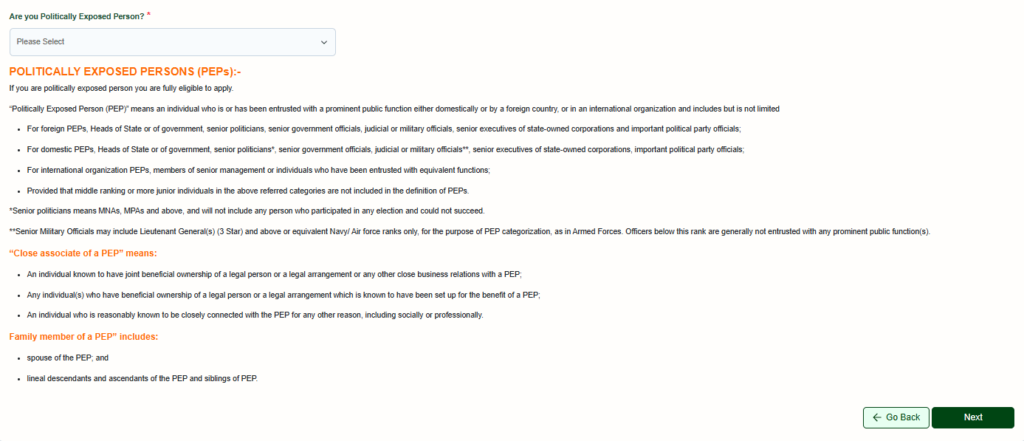
Educational Details
This section is for information about the your current education and educational institution.
District: First, a box to select the district will appear. Here select the district where the applicant’s school, college, university or other educational institution is located.
Name of Educational Institution: After selecting the district, a box to select the name of the educational institution will appear. Here select the exact name of the applicant’s school, college, university or institution.
Course Under Study: Here enter the education, course or program that the applicant is currently studying or has been studying.
Date of commencement of education: Enter the date on which the applicant took admission in the current school, college, university or educational institution.
Monthly Fee: Here enter the exact amount of educational fee paid by the applicant every month.
Student card or verification certificate from the educational institution: A box will appear to upload a document. Here, upload the applicant’s student card or verification certificate issued by the school, college or educational institution, which proves that the applicant is actually studying in that institution.
Receipt of paid education fee: A box will appear to upload the receipt of paid education fee. Here, upload the fee receipt or challan that proves that the education fee has been paid.
The document or image should be clear and easily readable. Take care of the file type and size as per the instructions given in the form, and after uploading the image or document, double-check that the correct file has been uploaded.
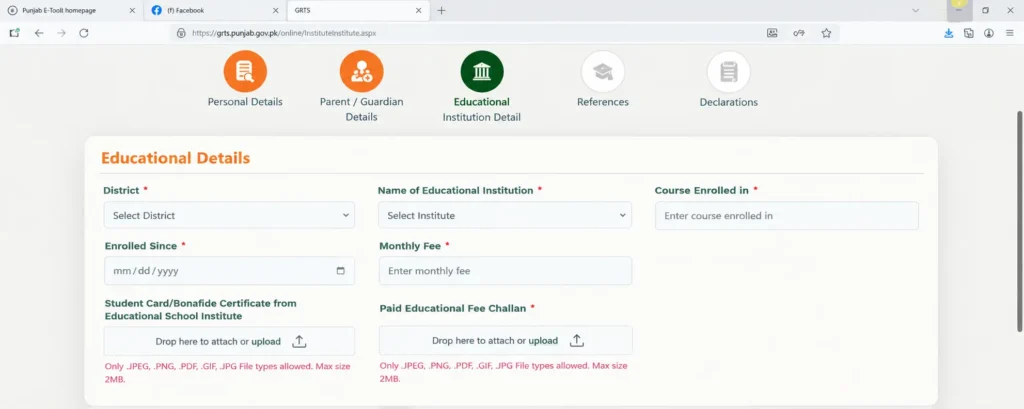
Reference Information
In this step, you will be asked for information of two people who know you and can verify your information if necessary. Here, the information of both the reference persons has to be entered separately. In the image, information of Reference No. 1 has been asked first and then Reference No. 2 has been asked.
Reference No. 1
Fill up the form of the reference no.1 as told below
- Name: First, a box will appear to enter the full name of the first reference person. Here, write the full name of a person who knows you well and who can be contacted if necessary.
- Mobile number: Enter the mobile number of the first reference person after the name. Enter an active number that is not switched off and on which this person can be contacted.
- ID card number: Enter the ID card number of the first reference person after the mobile number.
- Date of issue of ID card: After this, enter the date of issue of the ID card of the first reference person.
- Relationship: After this, a box will appear to enter the relationship of the reference person to the applicant.
Write the correct relationship here, for example, father, brother, sister, relative or any other correct relationship.
Reference number 2
After completing the information of the first reference person, the information of the second reference person must be entered. The second person should also be someone who knows the applicant and can be contacted if necessary.
- Full Name: First enter the full name of the second reference person. Write the name correctly so that there is no difficulty in identifying the person if needed.
- Mobile Number: Enter the active mobile number of the second referrer after the name.
- CNIC Number: Then enter the CNIC number of the second referrer.
- Date of Issue of CNIC: Then enter the date of issue of CNIC of the second referrer.
- Relationship to the Applicant: Finally, enter the relationship of the second referrer to the applicant.
Write only the correct relationship here so that the information given in the form remains correct.
Re-check the names, mobile numbers, ID card numbers and date of issue of both the reference persons. The information of both the persons should be separate and correct, and no person’s information should be entered incorrectly or by guesswork.
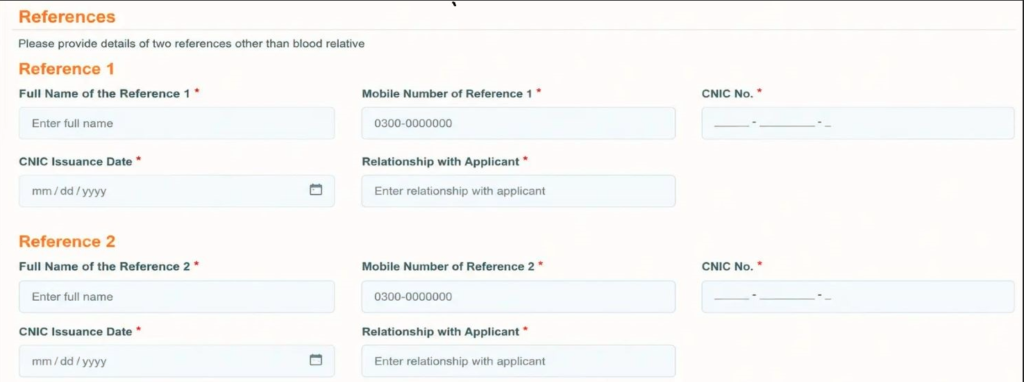
Declaration and Conditions
This is the fifth and final step of the form. In this step, the applicant is asked to confirm that he has read the form and the terms and conditions of the bike scheme and that he agrees with them.
Conditions Given In the Form
In this section, you are asked to confirm the following:
You confirm that you have read and understood the information given in the brochure related to the e-bike. You agree that if a loan or installment is made for the bike, you will repay it on the due date. Failure to pay the installment on the due date may result in a penalty or other action by the bank.
You authorize the bank to take action to collect money from your bank account for the amount due or other related payment, as per the terms of the agreement and the scheme. You confirm that all the information given in the form is correct and complete to the best of your knowledge and belief.
You authorize the Bank or the relevant person appointed by the Bank to verify the information by contacting the references you have provided, if necessary. You also authorize the Bank to share the necessary information with relevant third parties as necessary to process your application. You also agree that if any claim or liability arises as a result of any action related to the Scheme, the terms and conditions given in the form will apply in this regard.
Agree to all terms and conditions box: After reading all the terms and conditions, there will be a blank box below which states that you have read, understood and agree to all the terms and conditions. If you have read and agree to all the terms and conditions, check this box and select it.
After checking the box, check all the information once again. If all the information is correct and you agree to all the terms and conditions, then press the Next button.
Required Documents for CM Punjab E-Bike Scheme 2026
Before applying, keep all the necessary information and documents ready so that the form can be completed easily. The list given below includes the important documents that are required at various stages of the application.
Applicant’s CNIC / B-Form
A valid CNIC or B-Form of the applicant is required, and a clear photograph of the front and back of it has to be uploaded.
Applicant’s Recent Photo
A clear photograph of the applicant will be required, which will be uploaded according to the size prescribed in the form.
Driving License / Learner Permit / Juvenile Driving Permit
The student must have a valid driving license, learner permit or juvenile driving permit.
Student Card / Verification Certificate
A student card issued by the educational institution or a verification certificate proving that the applicant is a student will be required.
Paid Fee Receipt / Challan
The receipt or challan of the current educational fee has to be uploaded in the application form.
Guarantor’s CNIC
A valid CNIC of the guarantor will be required, along with clear front and back photographs of the CNIC.
Guarantor’s Mobile Number
An active mobile number registered in the guarantor’s name will be required in the application.
Guarantor’s Income Proof
Relevant documents such as salary slips, salary certificate, bank statement, pension documents or proof of business income may be required to prove the guarantor’s income.
Employment Proof
If the guarantor is employed, an Employment Letter, Employment Certificate or other acceptable employment proof from the institution may be required.
Business Income Documents
If the guarantor is running a business, appropriate and correct documents related to the business and its income will be required.
Two Reference Persons’ Information
Correct information of two people who know the applicant will be required, including their name, mobile number, CNIC number, CNIC issue date and relationship with the applicant.
Specifications Of Electric Bike Launched by CM Punjab Maryam Nawaz
This electric scooty is designed for students and includes various modern features for daily travel. Below are all its important features in easy Urdu so that every applicant can understand them easily.
Electric Scooty Technical Specifications
Make & Manufacturing
2026
Battery Capacity
72V, 30Ah
Maximum Speed
50–55 km/h
Motor Power
1000 W
Battery Type
LiFePO4
Dashboard
Digital Display
Controller
12 Tube
Headlamp
LED
Suspension
Hydraulic Shock Absorption
Motor Type
BLDC Rear Wheel Hub Motor
These are the specifications of the electric bike which is providing to the students under the CM Punjab E Bike Scheme 2026.
Important Instructions for Students Applying
If you want to apply for CM Punjab E-Bike Scheme 2026, then keep all the necessary things ready before filling the form. Do not write any information in a hurry or guess, because incorrect information can cause problems in the application.
- Check your age You must be at least 16 years old at the time of application. If you are below 16 years of age, first check your age and the condition of the license or permit carefully.
- Keep your driving license or permit ready Before applying, keep your valid and acceptable Driving License, Learner Permit or Juvenile Driving Permit ready. Without the necessary driving document, the application may face problems.
- Check your ID card or B-Form The name, ID card number and dates written in the form should be exactly as per your original identity document. Do not write a single wrong number or wrong date.
- Use the correct mobile number Give the mobile number in the form that is active and can receive calls or messages. The number should not be switched off or incorrect.
- Prepare the guarantor’s information in advance The guarantor’s information is also very important. Prepare the guarantor’s correct CNIC, mobile number, address and income information in advance. Never provide false or fictitious information.
- Write the income information truthfully If the guarantor is employed, does business or earns income from informal work, select the information according to his actual situation in the form. Do not write the wrong source of income or the wrong amount.
- All images should be clear While uploading the identity card, B-Form, your photo and the guarantor’s documents, make sure that the image is clear and all the information can be read easily.
- Have the educational documents ready Prepare the information of your educational institution, Student Card or Verification Certificate and necessary documents related to fees in advance.
- Provide correct information of two Reference Persons In the form, write the name, mobile number and CNIC of the two people whose reference information is asked for. Give the information of people who really know you.
- Check again before submitting the form Before submitting, check your name, CNIC, date of birth, mobile number, address, guarantor information and all uploaded photos.
Remember: It is more important to write correct information than to give incorrect information.
CM Punjab E-Bike Scheme Training For Women
According to official information, women can get expert training in riding scooters from female instructors under the Punjab Chief Minister Women Empowerment Initiative. The training is designed to help women learn how to ride scooters confidently and safely.
The training is given at Greater Iqbal Park and is of 21 days duration. Women who want to enroll can contact 0321-4161571 for more information and registration.

Questions? We’ve Got Answers.
What is the price of the e-bike under the scheme?
PKR 199,000/-
How much capital subsidy is provided by the Government of Punjab (GoPb)?
PKR 90,000/-
Is a down payment required for the e-bike?
No down payment is required.
What is the financing period for the e-bike?
3 years.
Who will bear the interest cost of the financing?
Government of Punjab (GoPb).
Who will bear the insurance cost of the e-bike?
Government of Punjab (GoPb).
Who will bear the registration and token-tax costs?
Government of Punjab (GoPb).
How many e-bikes are being provided under the scheme?
100,000 e-bikes.
Which students are eligible for the scheme based on their educational institution?
Students of both public and private educational institutions.
What is the minimum age requirement for students at the time of application submission?
16 years.
What type of driving document must the student have?
A valid driving license, learner’s permit, or juvenile driving permit.
Who can act as a guarantor for the student?
Parent or legal guardian with valid proof of income.
In whose name must the mobile number mentioned in the application be registered?
In the name of the guarantor, or the applicant if the student has a documented source of income.
What identification document must the guarantor have?
A valid CNIC.
Can a student from a private educational institution apply for the scheme?
Yes.
Can a student apply without making a down payment?
Yes, no down payment is required.
How long will the e-bike financing continue?
3 years.
Who will pay the interest cost during the financing period?
Government of Punjab (GoPb).
Which costs related to the e-bike are covered by GoPb?
Interest cost, insurance, registration, and token-tax.
What is the capital subsidy amount provided by GoPb per e-bike?
PKR 90,000/-
What if I’m 16 years old and want to get my juvenile license made?
If you are 16 years old and want to get your juvenile license made, you need to visit your nearest Sahulat Center along with your guardian.
Which is official portal of the E Bike scheme 2026?
Final Words
CM Punjab E-Bike Scheme Phase 2 2026 is an important facility for students who want a convenient and personal ride for their daily commute during their studies. Before applying, check your eligibility, driving permit, guarantor and educational documents thoroughly.
Fill in the form carefully with name, CNIC, mobile number, date of birth, address, guarantor information and all uploaded documents. Before submitting the application, double-check the entire information so that there is no problem in the application due to incorrect information.